- #computer-vision
- #automation
- #games
GTA V Fingerprint Solver
A computer-vision solver for the fingerprint hacking minigame in GTA V’s casino heist: it reads the screen, matches the print against four templates, and enters the answer in under a second.
- Role
- Solo developer, open source.
- Outcome
- Solves every print it’s shown in under a second. A compact exercise in template matching under a real-time deadline.
- Year
- 2024
- Status
- shipped
- Stack
- Python
- OpenCV
- NumPy
- Pillow
- PyAutoGUI
The start
A minigame against the clock
The Diamond Casino heist in GTA V has a fingerprint-cloning minigame: the game shows a target print and eight fragments, and you have to pick the four that belong to it before the timer runs out. Doing it by hand, over and over, is slow and error-prone. Looking at it as a developer, it was something else: a small, well-bounded computer-vision problem.
The goal
Read the screen, recognise the print, answer in under a second
The game only ever uses the same four prints. So the plan was a solver that captures the minigame, recognises which print it's looking at, finds that print's four fragments among the eight on screen, and enters the answer, all before a human would have finished reading the screen.
The adventure
Template matching, piece by piece
I built the solver in Python with OpenCV. It grabs only the minigame's region, prepares the image, and compares it with the four known prints using normalised cross-correlation. Each print is also stored as four reference quarters, which the solver looks for among the fragments. Once it knows the answer, PyAutoGUI moves the selector and confirms it with simulated key presses.
VideoThe solver completing the fingerprint minigame0:00 / 0:00Recognition, matching and input, in real time. The difficulties
Fast enough, and robust to the game's rendering
The timer is short, so every millisecond of processing counted. And the prints never look exactly the same twice: they shift slightly and render at different brightness depending on the scene. A naive whole-image comparison would fail exactly when it mattered.
The end
Every print, in under a second
The solver recognises each print and enters the answer in under a second, and it hasn't missed one in my runs. It's a compact exercise, but a complete one: screen capture, preprocessing, template matching under real-world noise, and input automation, all working against a real-time deadline.
- To solve a print
- <1 s
- To solve a print
- Known prints
- 4
- Known prints
- Reference quarters
- 16
- Reference quarters
- Misses in my runs
- 0
- Misses in my runs
Print recognition
Identifies which of the game's four fingerprints is on screen by matching it against known templates.
Fragment matching
Splits each print into quarters and finds the right four fragments among the eight the game offers.
Real time
Watches the screen continuously and answers in under a second, well inside the minigame's timer.
Tolerant to the game's rendering
Normalised matching copes with shifts and changes in brightness from one heist to the next.
Automatic input
Moves the selector and confirms the answer with simulated key presses, no hands needed.
Focused capture
Reads only the minigame's region of the screen, which keeps it fast and light on resources.
In action
What you're seeing:
- The screen capture picks up the minigame as soon as it appears.
- The print is recognised and the solution computed almost instantly.
- The selector moves to each correct fragment and confirms it, with precise automated key presses.
How it recognises a print
The game only ever uses four fingerprints. The solver keeps each one as a full template and as four quarters, so it can still match a print when part of it looks off.
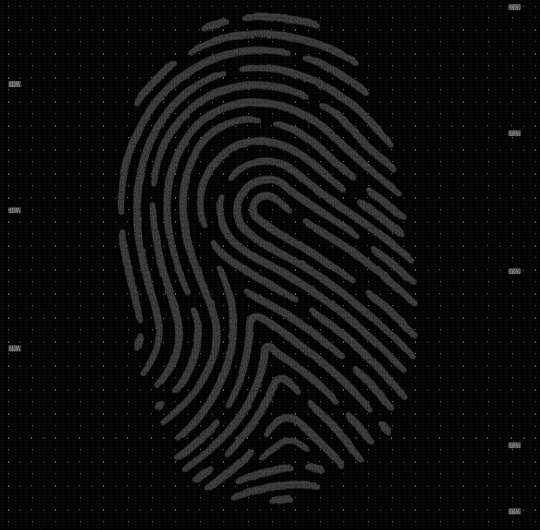
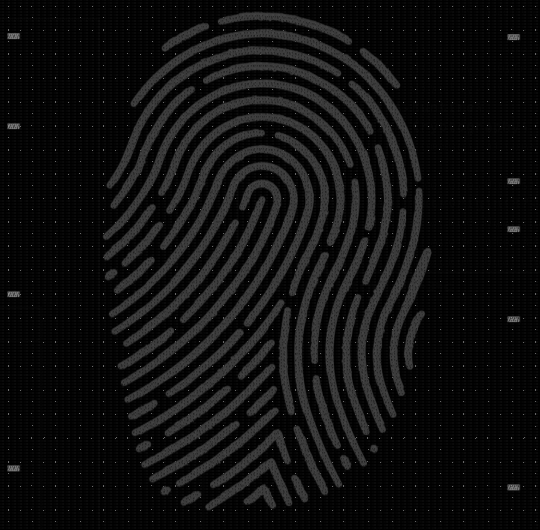
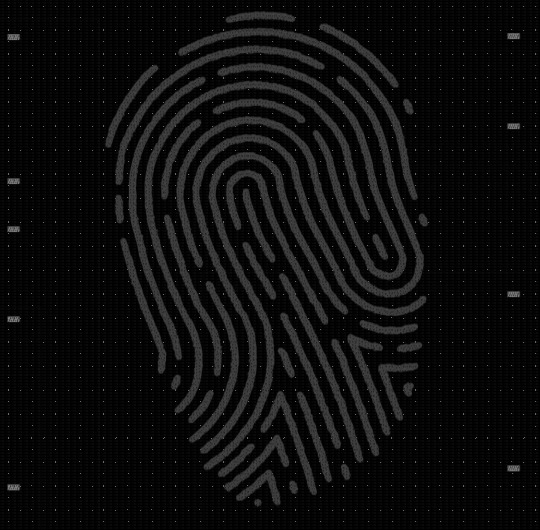
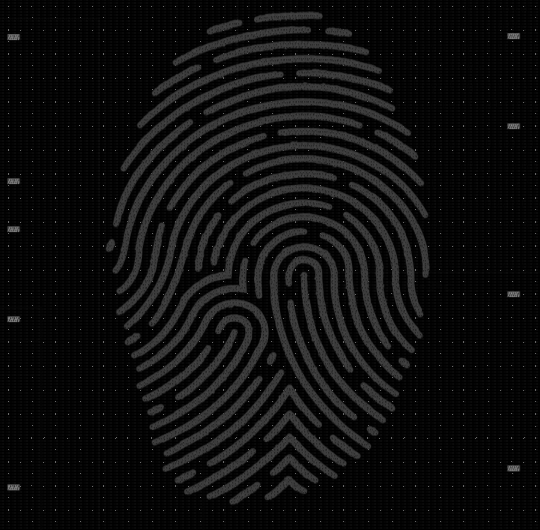

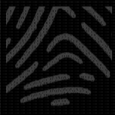
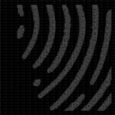






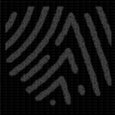


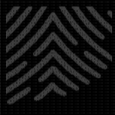



Capture
Grab only the minigame's region and prepare it for matching: greyscale and contrast.Template match
Compare the target with the four known prints using normalised cross-correlation.Quarter analysis
Locate the print's four reference quarters among the eight fragments on screen.Answer
Move the selector to each match and confirm, through PyAutoGUI.
Under the hood
Screen capture and preprocessing
Pillow, NumPy
Captures the game's window region and applies filters that make the ridges of the print easier to compare.
Template matching
OpenCV
cv2.matchTemplatewith normalised cross-correlation, which tolerates small changes in lighting and position.Component analysis
Quarters
When the whole print doesn't match cleanly, each quarter is matched on its own, which keeps recognition reliable.
Input automation
PyAutoGUI
Once the answer is known, the solver drives the selector with simulated key presses and precise timing.
Challenges
Problem
Real-time performance
The timer is short: the answer has to land as fast as possible.
Solution
The templates are loaded once at startup and matching runs on the minigame's region only, never the whole screen.
Problem
Pattern variations
Prints shift slightly and render at different brightness from scene to scene.
Solution
Matching the four quarters separately, rather than only the whole print, keeps it reliable when one area looks off.
Problem
Working alongside the game
The solver must read and act without disrupting the game.
Solution
Non-intrusive screen capture and input that goes through the same keys a player would press.
Skills I gained
Computer vision
OpenCV
Template matching, preprocessing and the trade-offs between accuracy and speed.
Image processing
NumPy, Pillow
Turning raw screen captures into clean, comparable data.
Real-time systems
Latency
Designing a loop around a hard deadline, where precomputation matters more than clever code.
Input automation
PyAutoGUI
Precise, timed keyboard control driven by what the program sees.
How fast is it?
It recognises the print and enters the answer in under a second, well inside the minigame's timer.
Why only four templates?
Because the game only ever uses four fingerprints. That's what makes the problem well bounded: the solver doesn't need to learn anything, just recognise reliably.
How does it enter the answer?
Through PyAutoGUI: it moves the selector and confirms with simulated key presses, the same keys a player would use.
Is the code available?
Yes, on GitHub.
Need something like this?
Tell me what it should do, where it runs and when you need it.
More work
- #computer-vision
- #automation
- #roblox
Leaf's Grand Blue Autofish
A free Windows app that fishes in Roblox Grand Blue for you and logs every catch it reads.
- #computer-vision
- #automation
- #roblox
Pet Sim 99 Autofish
A screen-reading helper that tracks the whirlpools in Pet Simulator 99's fishing minigame.

- #discord
- #bots
- #api-integration
BotFire
A Discord bot for my streaming community: game suggestions and my Twitch schedule, synced to Google Calendar.